The document settings are divided into two tabs: General and Dimension.
- The settings defined under the Dimension tab are used for the current document and all newly created documents.
- Already created documents do not receive the new default values when opened.
- All values can be adjusted as required.
¶ General
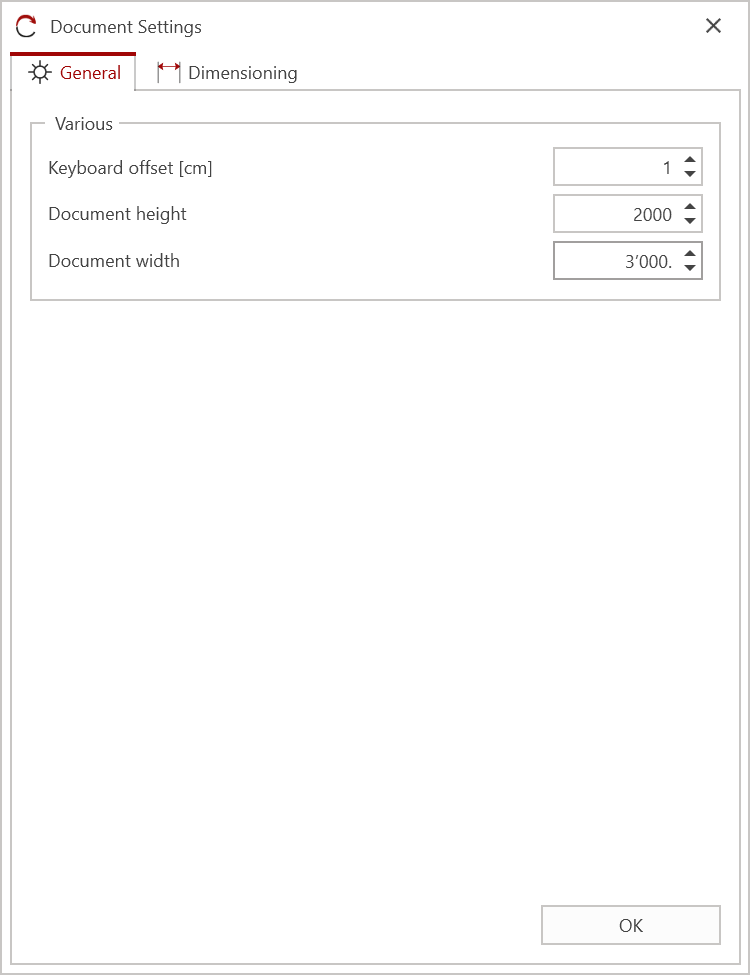
¶ Miscellaneous
- Keyboard Move Distance: Defines the distance an object moves per keystroke of the arrow keys, in centimeters.
- Document Height: Defines the height of the drawing area of the open document.
- Document Width: Defines the width of the drawing area of the open document.
¶ Dimensioning
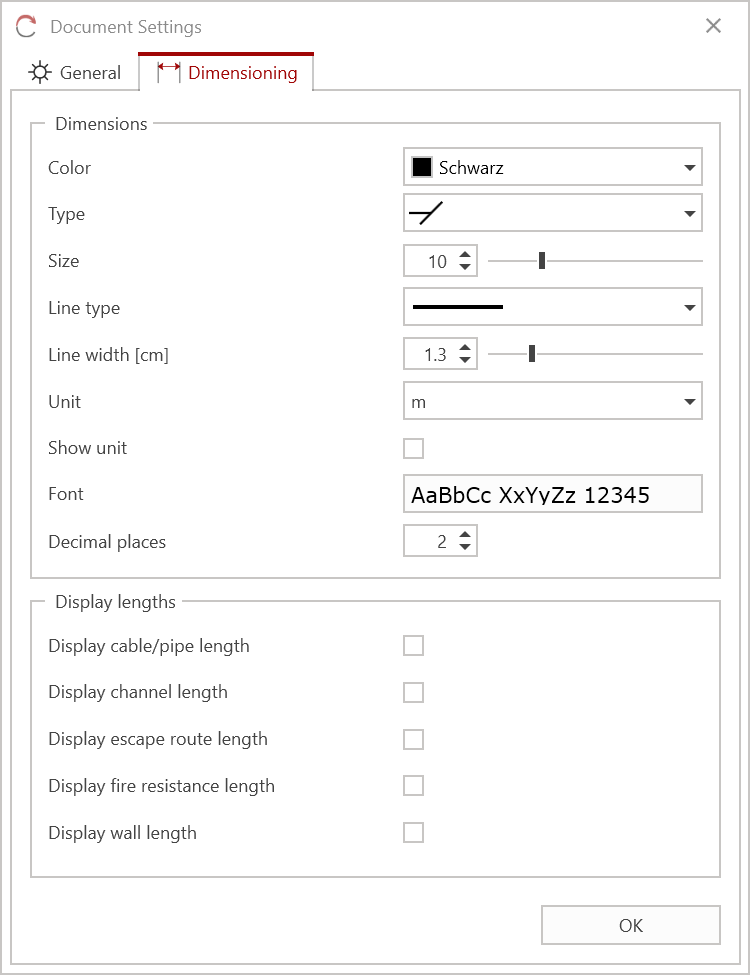
¶ Dimension Lines
- Color: Defines the dimension line color.
- Line End: Defines the appearance of the dimension ends.
- Size: Defines the size of the line ends.
- Line Type: Defines the type/appearance of the dimension lines.
- Line Thickness: Defines the line thickness of the dimension.
- Unit: Defines the unit of measurement used to display the dimension.
- Display Unit: If enabled, the unit of measurement is displayed for the dimension.
- Font: Defines the display options, such as font size, font type, etc., for the dimension. Click the "AaBbCc.." selection field to display the settings.
- Decimal places: Defines how many decimal places are displayed in the dimension.
¶ Total Lengths
The options can be enabled or disabled by selecting the checkbox.
- Cable Length: The total length of cables, pipes, etc. is displayed.
- Duct Length: The total length of a duct is displayed.
- Escape Route Length: The total length of the escape routes is displayed.
- Fire Resistance: The total length of a fire resistance is displayed.
- Wall Length: The total length of the wall segments is displayed.