The Toolbox Manager refers to your personal toolbox Custom Toolbox and not to standard toolboxes such as Electrical, Plumbing, etc.
The toolbox file, which contains all your data, is saved only on the local storage (hard drive) where the RED CAD APP is installed.
The Toolbox Manager is primarily used to export your toolbox data to create a backup file for e.g. before switching computers or to make your personal toolbox available on other computers.
You can access the Toolbox Manager via the Main menu → Toolbox Management.
Recommendation:
Occasionally create a backup file and then save it to network storage, cloud storage, or similar.
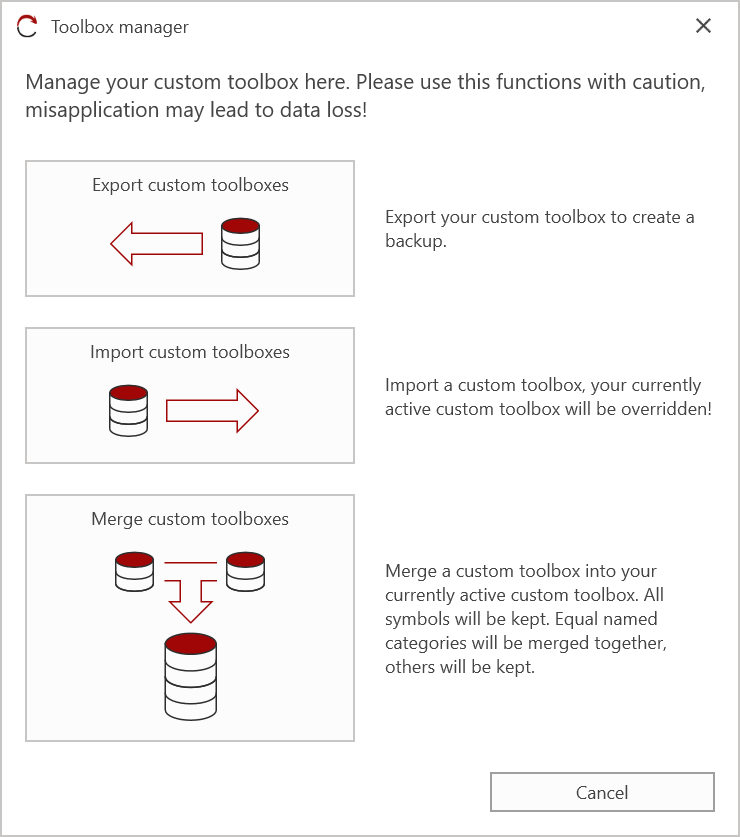
¶ Export toolbox
- Click on Export toolbox
- Select the storage location and assign a file name for the toolbox file
- Click on Save
- Confirm with Yes to start the export process
- When the message Export completed successfully appears, the toolbox file has been exported correctly.
¶ Import toolbox
The imported toolbox file overwrites the existing file on the local system.
This means that all icons in the personal toolbox are replaced by the contents of the imported file.
- Click on Import toolbox
- Go to the storage location of the toolbox file and select it
- Click on Open
- Confirm with Yes to start the import process
- When the message Import completed successfully appears, the toolbox file has been imported correctly
¶ Merge toolbox
- Click on Merge toolbox
- Go to the storage location of the toolbox file and select it
- Click on Open
- Confirm with Yes to start the integration process
- When the message Integration completed successfully appears, the toolbox file has been integrated correctly.
If the integrated symbols are not directly visible, click on
in Custom toolbox window